CSV File Viewer - Smart CSV


CSV File Viewer - Smart CSV Summary
CSV File Viewer - Smart CSV is a with in-app purchases Android app in Productivity by MinimalistApps. Released in Feb 2022 (4 years ago). It has about 128.4K+ installs and 1.1K ratings with a 4.04★ (good) average. Based on AppGoblin estimates, it reaches roughly 7.6K monthly active users and generates around $<10K monthly revenue (100% IAP / 0% ads). Store metadata: updated Mar 17, 2026.
Recent activity: 847 installs this week (3.6K over 4 weeks) showing steady growth , and 10 new ratings this week View trends →
Store info: Last updated on Google Play on Mar 17, 2026 .
4.04★
Ratings: 1.1K
Screenshots

App Description
Effortlessly explore CSV Editor: AI assistant, PDF/chart, filter, SQL, and more
More than a basic csv reader, it's your comprehensive CSV file explorer. Uncover all this with Smart CSV Viewer:
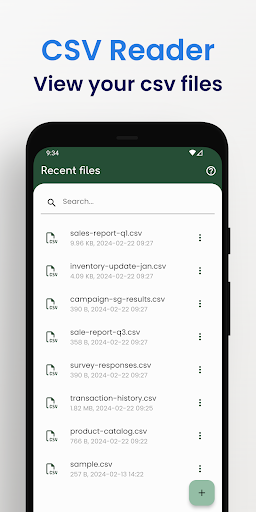
- Easy to view your CSV file.
- Use AI Assistant to query CSV content.
- Show column image URL as an image.
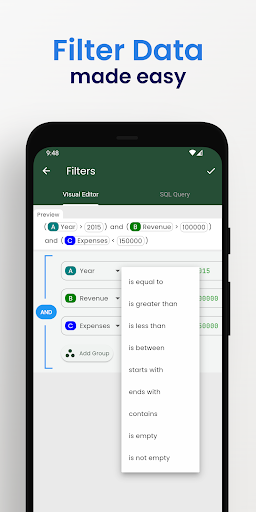
- Analyzing your data is easy by using visual filters or SQL queries.
- Easy filter data with Visual Filter Editor.
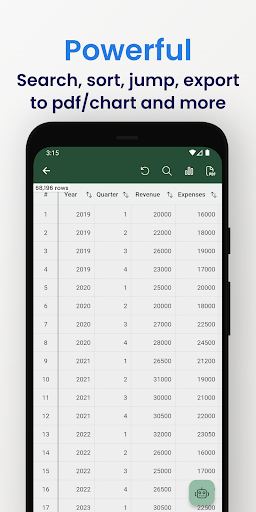
- Generate a chart image.
- Convert to PDF file. A CSV file can be custom data and style to export to a pdf file as you want.
- Manage all the exported files and share them with your friends.
- Easy to search your content.
- Copy the selected rows.
- Support both csv & tsv file format.
- Files open instantly after import, even those of large size.
- and more.
# FAQ
- Q: What is csv file?
- A: From wikipedia: Comma-separated values (CSV) is a text file format that uses commas to separate values, and newlines to separate records. A CSV file stores tabular data (numbers and text) in plain text, where each line of the file typically represents one data record. Each record consists of the same number of fields, and these are separated by commas in the CSV file.
---
- Q: Which chart types are supported?
- A: Currently, Smart CSV Viewer support column chart, bar chart, line chart, area chart, spline chart, scatter chart, step line chart, and step area chart.
---
- Q: What do you mean by “customizable”?
- A: In Smart CSV Viewer you can custom as much as you can. For example, when you only want to copy a part of data in a row, you can use the “filter” feature to exclude it. You can extract data by column. When you export to a pdf file, you can custom the style (color scheme) to match your expectation. More than a CSV converter tool, now you can change the look of your pdf file by styling it.
---
- Q: Why my file not being updated?
- A: If your file has been updated, you will need to re-import it. During the import process, the CSV file will be imported into the SQLite database. Consequently, you will be able to instantly view the updated file and utilize SQL queries to retrieve your data.
If you have any questions, don't hesitate to contact us:
Website: https://minimalistapps.github.io/smartcsv/
Email: imuosdev@gmail.com
We hope you are more productive with Smart CSV!