Background Remover: BG Changer
Background Remover: BG Changer Summary
Background Remover: BG Changer is a ad-supported, with in-app purchases iOS app in Art And Design by Dhaval Chandegara. Released in Jun 2025 (11 months ago). Store metadata: updated Jul 10, 2025.
Store info: Last updated on App Store on Jul 10, 2025 .
0★
Ratings: 0
Screenshots
App Description
Create stunning visuals with ease using our all-in-one photo editor built around powerful background removal. Whether you’re a content creator, online seller, designer, or just love editing photos, this app gives you everything you need to bring your ideas to life.
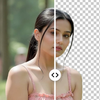
With just a tap, remove backgrounds from any image to generate high-quality transparent PNGs. Choose from a massive library of background templates or customize your own. Add creative text with full styling controls, apply filters, adjust tones, and polish your image using professional-grade tools—all in a smooth, user-friendly experience.
Key Features:
AI Tools:
• Magic Remover: Erase any unwanted object or area, and AI will intelligently fill the space to blend with the surroundings
• AI Image Extender: Expand your image beyond its borders with realistic AI-generated content
• AI Prompt Editor: Change or edit any object in your photo using natural language prompts
Background Remover:
• Instantly remove background from any image with AI precision
• Export transparent images (PNG) with clean edges
• Option to refine or manually adjust cutouts
Background Templates:
• Access thousands of pre-designed backgrounds for various themes
• Categories include nature, studio, gradients, abstract, minimal, and more
• Upload your own custom backgrounds
Text Tool:
• Add text anywhere on your image
• Customize text with color, outline, background color, shadow, and font styles
• Resize, rotate, and drag text with precision
Photo Editing Tools:
• Filters: Apply aesthetic and professional filters
• Adjustments: Control brightness, contrast, saturation, sharpness, and more
• Flip & Rotate: Flip horizontally/vertically or rotate images easily
• Crop and zoom tools for perfect framing
Layer and Object Control:
• Manage text and image layers independently
• Resize, reposition, and edit layers with drag-and-drop ease
Simple Export Options:
• Save as PNG or JPEG
• High-resolution export for print or online use
Perfect For:
• Creating product photos for e-commerce
• Designing social media posts and banners
• Crafting profile pictures with clean backgrounds
• Personalizing photos with text and effects
Experience the perfect blend of simplicity and power. Whether you’re editing for business or creativity, this app helps you achieve professional results in