Background Remover: BG Changer
ASO Keyword Dashboard
Tracking 0 keywords for Background Remover: BG Changer in Apple App Store
Developer: Dhaval Chandegara Category: art_and_design Rating: 4.61
Background Remover: BG Changer doesn't have tracked keywords yet.
No keywords tracked yet
We could not generate keyword insights for this app. Add more metadata or refresh the crawl to populate ASO keywords.
App Description
Create stunning visuals with ease using our all-in-one photo editor built around powerful background removal. Whether you’re a content creator, online seller, designer, or just love editing photos, this app gives you everything you need to bring your ideas to life.
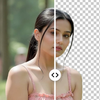
With just a tap, remove backgrounds from any image to generate high-quality transparent PNGs. Choose from a massive library of background templates or customize your own. Add creative text with full styling controls, apply filters, adjust tones, and polish your image using professional-grade tools—all in a smooth, user-friendly experience.
Key Features:
AI Tools:
• Magic Remover: Erase any unwanted object or area, and AI will intelligently fill the space to blend with the surroundings
• AI Image Extender: Expand your image beyond its borders with realistic AI-generated content
• AI Prompt Editor: Change or edit any object in your photo using natural language prompts
Background Remover:
• Instantly remove background from any image with AI precision
• Export transparent images (PNG) with clean edges
• Option to refine or manually adjust cutouts
Background Templates:
• Access thousands of pre-designed backgrounds for various themes
• Categories include nature, studio, gradients, abstract, minimal, and more
• Upload your own custom backgrounds
Text Tool:
• Add text anywhere on your image
• Customize text with color, outline, background color, shadow, and font styles
• Resize, rotate, and drag text with precision
Photo Editing Tools:
• Filters: Apply aesthetic and professional filters
• Adjustments: Control brightness, contrast, saturation, sharpness, and more
• Flip & Rotate: Flip horizontally/vertically or rotate images easily
• Crop and zoom tools for perfect framing
Layer and Object Control:
• Manage text and image layers independently
• Resize, reposition, and edit layers with drag-and-drop ease
Simple Export Options:
• Save as PNG or JPEG
• High-resolution export for print or online use
Perfect For:
• Creating product photos for e-commerce
• Designing social media posts and banners
• Crafting profile pictures with clean backgrounds
• Personalizing photos with text and effects
Experience the perfect blend of simplicity and power. Whether you’re editing for business or creativity, this app helps you achieve professional results in
With just a tap, remove backgrounds from any image to generate high-quality transparent PNGs. Choose from a massive library of background templates or customize your own. Add creative text with full styling controls, apply filters, adjust tones, and polish your image using professional-grade tools—all in a smooth, user-friendly experience.
Key Features:
AI Tools:
• Magic Remover: Erase any unwanted object or area, and AI will intelligently fill the space to blend with the surroundings
• AI Image Extender: Expand your image beyond its borders with realistic AI-generated content
• AI Prompt Editor: Change or edit any object in your photo using natural language prompts
Background Remover:
• Instantly remove background from any image with AI precision
• Export transparent images (PNG) with clean edges
• Option to refine or manually adjust cutouts
Background Templates:
• Access thousands of pre-designed backgrounds for various themes
• Categories include nature, studio, gradients, abstract, minimal, and more
• Upload your own custom backgrounds
Text Tool:
• Add text anywhere on your image
• Customize text with color, outline, background color, shadow, and font styles
• Resize, rotate, and drag text with precision
Photo Editing Tools:
• Filters: Apply aesthetic and professional filters
• Adjustments: Control brightness, contrast, saturation, sharpness, and more
• Flip & Rotate: Flip horizontally/vertically or rotate images easily
• Crop and zoom tools for perfect framing
Layer and Object Control:
• Manage text and image layers independently
• Resize, reposition, and edit layers with drag-and-drop ease
Simple Export Options:
• Save as PNG or JPEG
• High-resolution export for print or online use
Perfect For:
• Creating product photos for e-commerce
• Designing social media posts and banners
• Crafting profile pictures with clean backgrounds
• Personalizing photos with text and effects
Experience the perfect blend of simplicity and power. Whether you’re editing for business or creativity, this app helps you achieve professional results in