Liquid Glass Wallpaper OS 27

Liquid Glass Wallpaper OS 27 Summary
Liquid Glass Wallpaper OS 27 is a free, ad-supported, with in-app purchases iOS app in Tools by Arpana Singh. Released in Nov 2025 (8 months ago). Store last updated Jun 16, 2026
Liquid Glass Wallpaper OS 27 SDKs Summary
App not yet scanned for SDKs.
0★
Ratings: 0
Screenshots




App Description
Unlock a New Stylish Visual Experience with Liquid Glass Wallpaper OS 27!
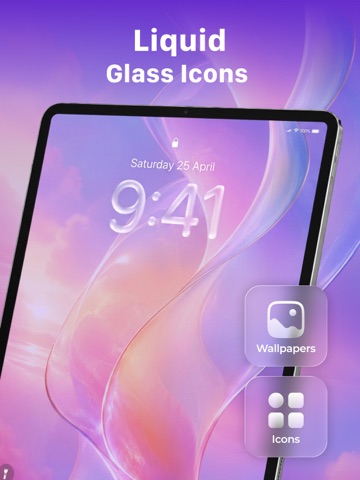
This app is specially designed for OS 26 Liquid Glass, combining 4K wallpapers, crystal icons, and modern Liquid glass themes inspired by the latest design trends. Enjoy a fresh new look every time you unlock your screen.
Features:
Liquid Glass Theme Wallpapers OS 27
Upgrade your home screen with the latest OS 27 liquid glass effects, offering a sleek and futuristic aesthetic.
Explore a massive collection of premium theme packs, icon styles, and HD wallpapers designed for modern iOS devices. Instantly apply stylish combinations of:
- Liquid Glass theme pack
- Aesthetic Glass themes
- Neon glow themes
- Dark AMOLED wallpapers
- Cute & funny smile wallpapers
- Minimal & gradient themes
- Icons that make your phone aesthetic
4K Liquid glass Wallpapers & AMOLED Backgrounds
Enjoy ultra-HD 4K wallpapers and animated live backgrounds optimized for battery efficiency:
- Liquid glass wallpapers 4K
- Abstract fluid backgrounds HD
- Aesthetic glass texture wallpapers
- Modern liquid-style lock screen images
- Shiny and artistic Ultra HD designs
- AMOLED black wallpapers
- Moving wallpapers with smooth animations
- Lock screen & home screen wallpapers
- HD & 4K quality visuals
Battery Animations
Make charging fun with:
- Cool battery charging animations
- Stylish keypad themes
- Interactive visual effects
Liquid glass Icon Changer & Home Screen Customization
Redesign your entire UI with:
- Stylish liquid glass icon packs
- Custom app icons
- Shortcut creator
- Themed home screen setups
Match your icons with your wallpaper theme.
Perfect for:
- Phone users looking for premium wallpapers
- Anyone who loves liquid glass aesthetic
- Users seeking abstract and modern designs
- Nature enthusiasts looking for beautiful backgrounds
- People who want elegant and artistic wallpapers
Why Choose Liquid Glass Wallpaper OS 27?
Our latest collection: explore different categories, save your favorites, and share beautiful wallpapers with ease. The app features a modern, elegant interface with support for both light and dark modes, providing a seamless experience that matches your style.
Download Liquid Glass Wallpaper OS 27 today and transform your device with stunning liquid glass wallpapers
Disclaimer
This app uses Apple’s Shortcuts app to apply custom icons and does not change system