Themez: Lock Screen 26 Themes
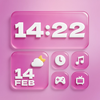
ASO Keyword Dashboard
Tracking 0 keywords for Themez: Lock Screen 26 Themes in Apple App Store
Developer: Arpana Singh Category: tools
Themez: Lock Screen 26 Themes doesn't have tracked keywords yet.
No keywords tracked yet
We could not generate keyword insights for this app. Add more metadata or refresh the crawl to populate ASO keywords.
App Description
NEW YEAR 2026 SPECIAL: Theme Pack, Multi Themes for iPhone, Wallpapers, Icon Changer, Keypad Themes, Battery Animations themes
Transform your iphone’s look in seconds with our all-in-one Theme Pack app!
Personalize every part of your iPhone with stunning themes, stylish icons, eye-catching wallpapers, and fun visual effects.
Features You’ll Love:
- Huge Variety of Themes for iPhone
Explore beautifully crafted themes that combine wallpapers, icon styles, and matching elements to give your iphone a complete makeover.
- Wallpapers for Every Mood
Celebrate this New Year 2026 & Choose from multiple categories, Refresh your lock screen & home screen anytime with high-quality still wallpapers.
Wallpapers, Trending Wallpapers, Aesthetic Wallpapers, Magic Wallpapers, Nature Wallpapers
- Icon Changer & Shortcut Maker
Customize your app icons with trendy icon packs. Create unique shortcuts to match your theme and elevate your home screen aesthetic.
- Keypad 2026 Themes
Style your typing experience with creative keyboard themes designed to complement your overall setup.
- Battery Animations
Add fun, dynamic battery charging animations that make plugging in your iphone exciting.
More Customization Options
- Trendy App Icon Changer
Upgrade your home screen with modern, minimal, aesthetic, gradient, or color-themed icon styles.
- Still Wallpapers
Mix and match static or dynamic wallpapers to suit your mood.
- New Lock Screen Wallpapers
Give your lock screen a fresh look with Themez trendy wallpaper themes
HOW TO APPLY WALLPAPERS, ICONS, KEYPAD OR BATTERY ANIMATIONS?
WALLPAPERS 2026:
- Choose the wallpaper you like, Download the Wallpaper you like the most
- Once your wallpaper is downloaded & saved to Photos, open the Photos app and select the downloaded wallpaper.
- Click on the Share icon on the selected Wallpaper
- A pop up appears, choose use as wallpaper
- A wallpaper template appears, click on the add button.
- You Wallpaper gets applied to home screen & lock screen
APP ICONS:
- From the Icon Pack, choose your desired icon image.
- Download the icon
- Now, Find & Open the Shortcuts app
- Tap + in the Upper - Right Corner
- Tap on Open App, Choose the app from the dropdown in which you want to apply a custom icon.
- Choose the app from the dropdown in which you want to apply a custom icon.
- Then Click on Add to Home Screen
- Rename the
Transform your iphone’s look in seconds with our all-in-one Theme Pack app!
Personalize every part of your iPhone with stunning themes, stylish icons, eye-catching wallpapers, and fun visual effects.
Features You’ll Love:
- Huge Variety of Themes for iPhone
Explore beautifully crafted themes that combine wallpapers, icon styles, and matching elements to give your iphone a complete makeover.
- Wallpapers for Every Mood
Celebrate this New Year 2026 & Choose from multiple categories, Refresh your lock screen & home screen anytime with high-quality still wallpapers.
Wallpapers, Trending Wallpapers, Aesthetic Wallpapers, Magic Wallpapers, Nature Wallpapers
- Icon Changer & Shortcut Maker
Customize your app icons with trendy icon packs. Create unique shortcuts to match your theme and elevate your home screen aesthetic.
- Keypad 2026 Themes
Style your typing experience with creative keyboard themes designed to complement your overall setup.
- Battery Animations
Add fun, dynamic battery charging animations that make plugging in your iphone exciting.
More Customization Options
- Trendy App Icon Changer
Upgrade your home screen with modern, minimal, aesthetic, gradient, or color-themed icon styles.
- Still Wallpapers
Mix and match static or dynamic wallpapers to suit your mood.
- New Lock Screen Wallpapers
Give your lock screen a fresh look with Themez trendy wallpaper themes
HOW TO APPLY WALLPAPERS, ICONS, KEYPAD OR BATTERY ANIMATIONS?
WALLPAPERS 2026:
- Choose the wallpaper you like, Download the Wallpaper you like the most
- Once your wallpaper is downloaded & saved to Photos, open the Photos app and select the downloaded wallpaper.
- Click on the Share icon on the selected Wallpaper
- A pop up appears, choose use as wallpaper
- A wallpaper template appears, click on the add button.
- You Wallpaper gets applied to home screen & lock screen
APP ICONS:
- From the Icon Pack, choose your desired icon image.
- Download the icon
- Now, Find & Open the Shortcuts app
- Tap + in the Upper - Right Corner
- Tap on Open App, Choose the app from the dropdown in which you want to apply a custom icon.
- Choose the app from the dropdown in which you want to apply a custom icon.
- Then Click on Add to Home Screen
- Rename the