Dynamic Gear

Dynamic Gear Summary
Dynamic Gear is a mobile Android app in Personalization by Design Poetry. Released in Nov 2023 (2 years ago). It has about 181+ installs Based on AppGoblin estimates, it reaches roughly 2.00 monthly active users . Store metadata: updated Nov 26, 2023.
Store info: Last updated on Google Play on Nov 26, 2023 .
0★
Ratings: 0
Screenshots

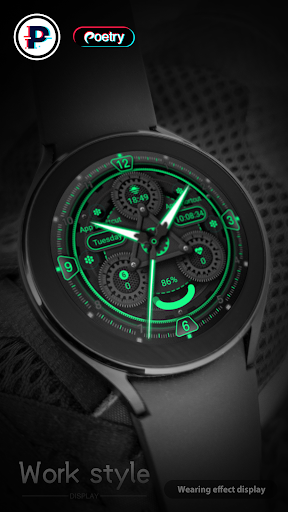
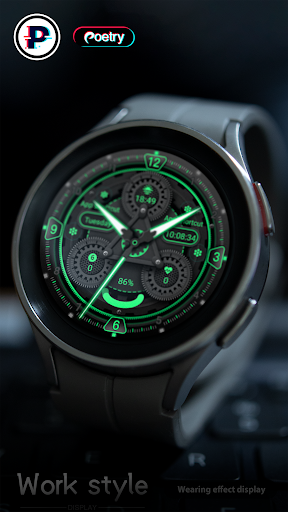
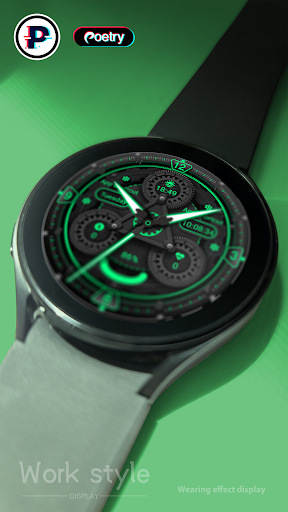
App Description
Dynamic mechanical style
Dynamic Gear It is a dynamic mechanical dial that provides time display and personalization!
Only available on Wear OS 3+ (API 30+) devices
4 Customize app shortcuts to get your favorite data like weather, barometer, distance walked, calories and more.
feature:
- Battery
- Sunset
- heart rate
- 4 preset app shortcuts
Enter customization:
1 - Long press on the screen
2 - Click "Edit"
hint:
You can customize any software supported by the watch, such as weather, battery, time, step count, air pressure, etc.
Installation options:
1. Keep the watch connected to your phone.
2. Install into your phone. Once installed, immediately press and hold the display to check the list of watch faces in your watch, then swipe to the end and click Add Watch Face. There you can see your newly installed watch face and activate it.
3. After the installation is complete, you can also check the following:
A: For Samsung watches, check the Galaxy Wearable app on your phone (install it if you haven't already). Under Watch Faces > Downloaded, you can see your newly installed watch face and apply it to your connected watch.
B. For other smart watch brands, for other Wear OS devices, please check the watch app installed in your smart watch brand phone and find the newly installed watch face in the watch face gallery or list.
4. Also visit the link below which shows many options on how to install a Wear OS watch face in your watch.
https://developer.samsung.com/sdp/blog/en-us/2022/11/15/install-watch-faces-for-galaxy-watch5-and-one-ui-watch-45