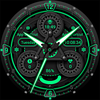

Dynamic Gear

158 installs
Ratings not yet available
2.00 monthly active users
Revenue not available
Install Trends
Monthly +1.00
Steady
Dynamic Gear icon

ASO Keyword Dashboard

Tracking 76 keywords for Dynamic Gear in Google Play

Developer: Design Poetry Category: personalization

Dynamic Gear tracks 76 keywords (no keywords rank yet; 76 need traction). Key metrics: opportunity 70.4, difficulty 48.2.

Dynamic mechanical style

Tracked keywords

76

0  ranked •  76  not ranking yet

Top 10 coverage

Best rank — • Latest leader —

Avg opportunity

70.4

Top keyword: faces

Avg difficulty

48.2

Lower scores indicate easier wins

Opportunity leaders

  • faces

    Opportunity: 75.0 • Difficulty: 40.5 • Rank —

    Competitors: 392

    63.6
  • api

    Opportunity: 74.0 • Difficulty: 42.6 • Rank —

    Competitors: 402

    66.1
  • gear

    Opportunity: 74.0 • Difficulty: 44.9 • Rank —

    Competitors: 777

    61.2
  • watch faces

    Opportunity: 74.0 • Difficulty: 36.4 • Rank —

    Competitors: 37

    60.2
  • preset

    Opportunity: 74.0 • Difficulty: 46.7 • Rank —

    Competitors: 252

    59.2

Unranked opportunities

  • faces

    Opportunity: 75.0 • Difficulty: 40.5 • Competitors: 392

  • api

    Opportunity: 74.0 • Difficulty: 42.6 • Competitors: 402

  • gear

    Opportunity: 74.0 • Difficulty: 44.9 • Competitors: 777

  • watch faces

    Opportunity: 74.0 • Difficulty: 36.4 • Competitors: 37

  • preset

    Opportunity: 74.0 • Difficulty: 46.7 • Competitors: 252

High competition keywords

  • time

    Total apps: 383,308 • Major competitors: 17,750

    Latest rank: — • Difficulty: 57.6

  • find

    Total apps: 308,500 • Major competitors: 17,753

    Latest rank: — • Difficulty: 58.4

  • like

    Total apps: 290,477 • Major competitors: 22,578

    Latest rank: — • Difficulty: 60.6

  • available

    Total apps: 200,864 • Major competitors: 10,487

    Latest rank: — • Difficulty: 58.2

  • data

    Total apps: 182,594 • Major competitors: 7,201

    Latest rank: — • Difficulty: 56.5

All tracked keywords

Includes opportunity, difficulty, rankings and competitor benchmarks

Major Competitors
software711004972

31,591 competing apps

Median installs: 1,575

Avg rating: 3.8

1,135

major competitor apps

phone671006083

152,927 competing apps

Median installs: 3,552

Avg rating: 4.0

9,500

major competitor apps

connected691005078

74,463 competing apps

Median installs: 636

Avg rating: 4.0

2,407

major competitor apps

step691005178

84,612 competing apps

Median installs: 1,451

Avg rating: 4.0

4,170

major competitor apps

heart711004774

42,816 competing apps

Median installs: 1,011

Avg rating: 4.1

1,616

major competitor apps

wear711006172

32,738 competing apps

Median installs: 378

Avg rating: 4.1

869

major competitor apps

dial731003759

4,907 competing apps

Median installs: 629

Avg rating: 4.0

205

major competitor apps

wear os721006070

24,397 competing apps

Median installs: 292

Avg rating: 4.2

299

major competitor apps

list691005278

82,848 competing apps

Median installs: 2,554

Avg rating: 4.1

3,579

major competitor apps

immediately721004369

22,208 competing apps

Median installs: 3,330

Avg rating: 3.9

978

major competitor apps

find651005887

308,500 competing apps

Median installs: 2,781

Avg rating: 4.1

17,753

major competitor apps

time641005889

383,308 competing apps

Median installs: 1,497

Avg rating: 4.0

17,750

major competitor apps

available661005884

200,864 competing apps

Median installs: 2,596

Avg rating: 4.0

10,487

major competitor apps

api741004366

14,091 competing apps

Median installs: 474

Avg rating: 4.1

402

major competitor apps

swipe721004969

22,594 competing apps

Median installs: 4,168

Avg rating: 4.1

1,658

major competitor apps

install701004976

59,306 competing apps

Median installs: 3,182

Avg rating: 4.1

2,852

major competitor apps

watch681005780

105,053 competing apps

Median installs: 1,212

Avg rating: 4.0

5,775

major competitor apps

visit701005175

53,633 competing apps

Median installs: 2,153

Avg rating: 4.0

2,975

major competitor apps

galaxy731005068

18,255 competing apps

Median installs: 802

Avg rating: 4.3

673

major competitor apps

dynamic701004974

45,591 competing apps

Median installs: 1,846

Avg rating: 4.0

2,716

major competitor apps

favorite671006083

171,468 competing apps

Median installs: 2,974

Avg rating: 4.1

11,007

major competitor apps

smart681005581

123,691 competing apps

Median installs: 1,748

Avg rating: 4.0

6,499

major competitor apps

many671005683

165,191 competing apps

Median installs: 5,379

Avg rating: 4.1

11,702

major competitor apps

provides671005483

165,297 competing apps

Median installs: 1,455

Avg rating: 4.0

5,575

major competitor apps

click691005077

67,102 competing apps

Median installs: 4,332

Avg rating: 4.1

4,032

major competitor apps

76 keywords
1 of 4

App Description

Dynamic mechanical style

Dynamic Gear It is a dynamic mechanical dial that provides time display and personalization!
Only available on Wear OS 3+ (API 30+) devices

4 Customize app shortcuts to get your favorite data like weather, barometer, distance walked, calories and more.

feature:

- Battery
- Sunset
- heart rate
- 4 preset app shortcuts

Enter customization:

1 - Long press on the screen
2 - Click "Edit"

hint:
You can customize any software supported by the watch, such as weather, battery, time, step count, air pressure, etc.

Installation options:
1. Keep the watch connected to your phone.

2. Install into your phone. Once installed, immediately press and hold the display to check the list of watch faces in your watch, then swipe to the end and click Add Watch Face. There you can see your newly installed watch face and activate it.

3. After the installation is complete, you can also check the following:

A: For Samsung watches, check the Galaxy Wearable app on your phone (install it if you haven't already). Under Watch Faces > Downloaded, you can see your newly installed watch face and apply it to your connected watch.

B. For other smart watch brands, for other Wear OS devices, please check the watch app installed in your smart watch brand phone and find the newly installed watch face in the watch face gallery or list.

4. Also visit the link below which shows many options on how to install a Wear OS watch face in your watch.
https://developer.samsung.com/sdp/blog/en-us/2022/11/15/install-watch-faces-for-galaxy-watch5-and-one-ui-watch-45